

1. Introduction: Open Source Meets Polished UX
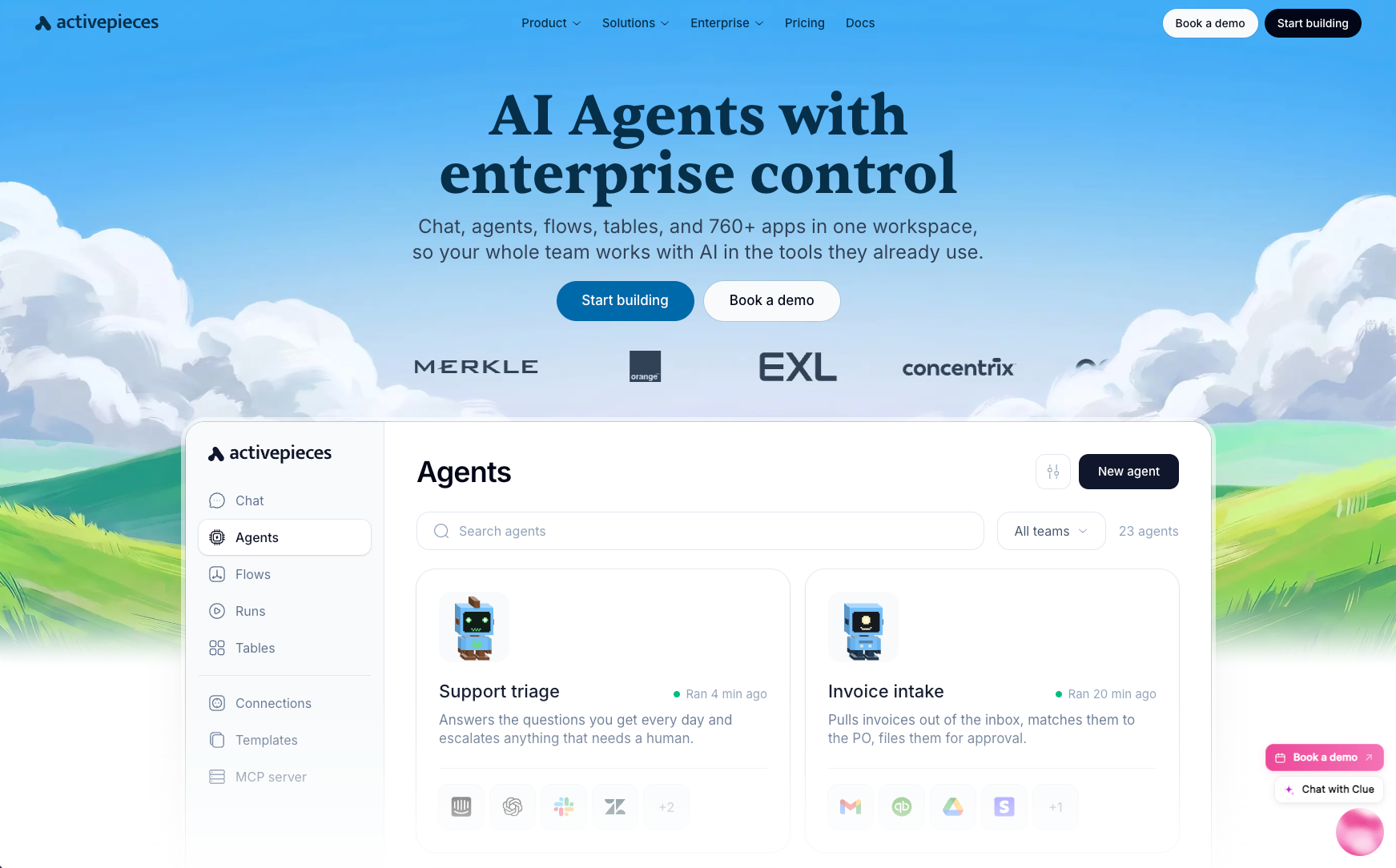
The open-source automation space has long been dominated by n8n. It's a capable platform, powerful, extensible, and genuinely free to self-host, but its developer-centric design philosophy leaves non-technical users stranded.
Building a flow in n8n requires comfort with JSON, an understanding of node-based programming logic, and a tolerance for an interface that prioritizes function over form. For engineering teams, that's fine. For marketing ops managers, sales teams, and founders who just want their tools to talk to each other, it's a barrier that kills adoption.
Activepieces entered the market with a different thesis: what if you could build an open-source automation platform that actually felt like Zapier? Not a developer tool wearing a consumer costume, a genuinely polished, intuitive product that happened to also be open source and self-hostable.
I've spent four months putting that thesis to the test. Two months running the self-hosted Community Edition on a small VPS, and two months on the managed cloud platform.
Over that period, my team built 80+ flows spanning CRM automation, email marketing sequences, internal approval workflows, and data pipeline tasks. We processed over 100,000 executions and hit real-world edge cases that exposed both the platform's strengths and its gaps.
Activepieces surprised me with consistently strong ease-of-use scores, something genuinely unusual for an open-source tool, while showing expected gaps in integration breadth and enterprise governance features.
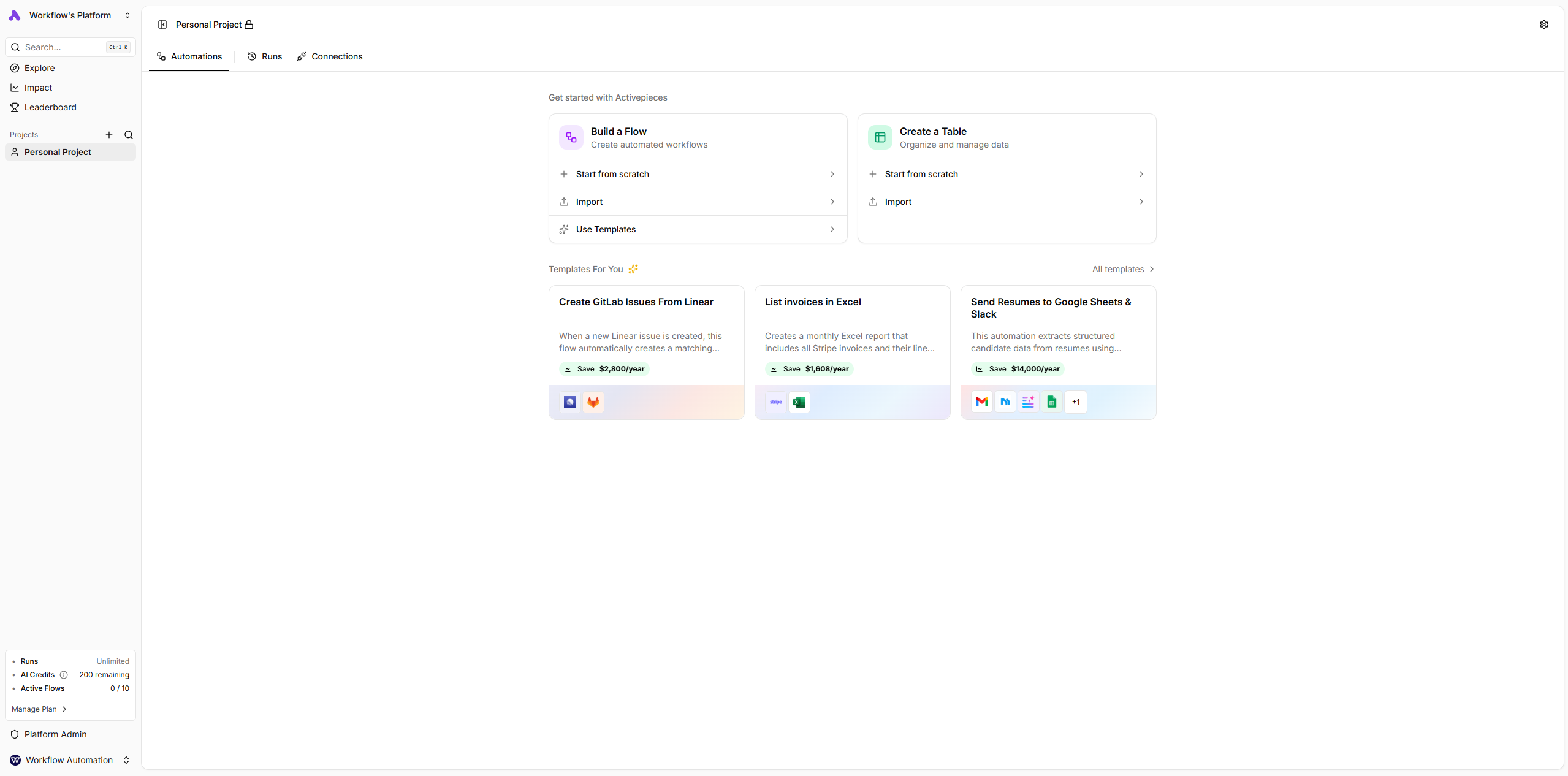
The context matters for interpreting this review: Activepieces launched in 2023 and is backed by Y Combinator. It is, objectively, a young platform. But the development velocity is remarkable. The piece catalog grew by more than 30 integrations during my four-month testing window. Features that were rough in month one were polished by month four.
What you're reading is an assessment of a platform that's moving fast, which means both that some rough edges exist today and that many will be gone by the time you read this.
For teams that want automation ownership without the complexity of n8n, and cost efficiency without the vendor lock-in of Zapier, Activepieces deserves serious consideration.
2. What is Activepieces? Understanding the Platform
Activepieces is an open-source workflow automation platform with an explicit mission: make automation accessible to everyone without sacrificing the ownership and transparency that open source provides.
The project was founded in 2023, went through Y Combinator's accelerator program, and has been building in public ever since. The codebase lives on GitHub under the MIT license, the most permissive of open-source licenses, giving organizations complete freedom to self-host, modify, fork, and extend the platform without any licensing fees or usage restrictions.
The platform follows the familiar trigger-action model that Zapier popularized: an event in one application (a new form submission, a Stripe payment, a scheduled time) triggers a sequence of automated actions in other applications (update a CRM, send a Slack message, create a task).
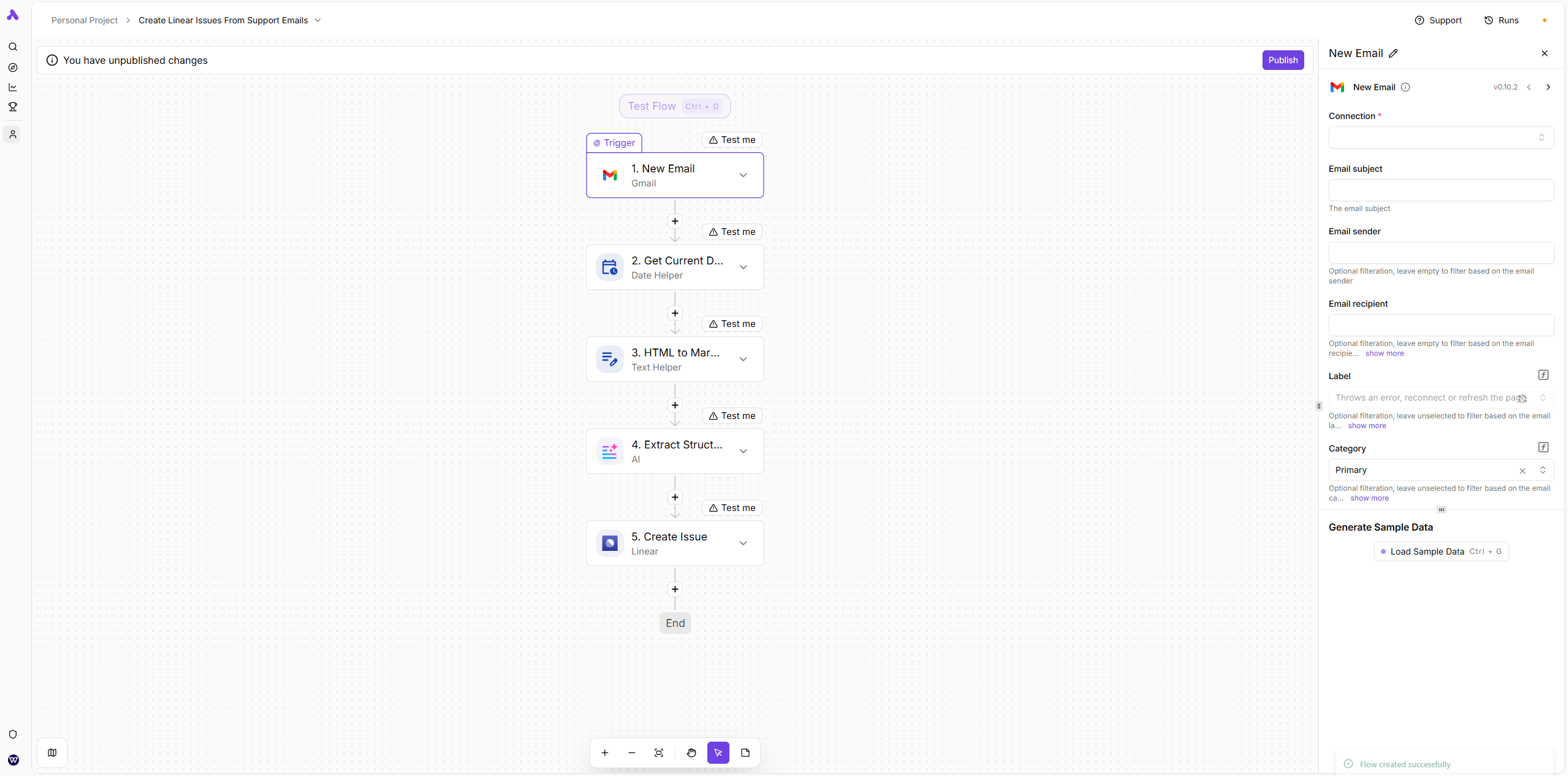
What distinguishes Activepieces from its open-source peers is the quality of the interface wrapped around that model. Opening Activepieces for the first time, you'd be forgiven for assuming it's a paid commercial product. The flow builder is clean, modern, and immediately approachable.
The platform connects to over 600 apps through what Activepieces calls "pieces"—modular, community-contributed integration packages. Each piece is an npm package that exposes triggers and actions for a specific application.
This architecture means any developer familiar with TypeScript can build a new piece, which is why the catalog grows faster than centrally-developed integration libraries typically do.
Technically, Activepieces runs on a Node.js backend with a TypeScript architecture throughout. Self-hosting involves running a small set of Docker containers: the application server, an execution worker, a PostgreSQL database, and a Redis cache. The managed cloud version abstracts all of that away for teams that prefer a hosted product.
The company is headquartered in the US, operates as a small team, and has demonstrated the kind of focus typical of post-YC companies: ship fast, engage the community, and iterate based on real user feedback. The GitHub repository has issues that get real responses from core maintainers, and the Discord community has grown into a genuine resource for implementation questions.
Reality Check
Activepieces is genuinely early-stage compared to Zapier or Make. "Early-stage" doesn't mean broken, our four-month production use was largely stable, but it does mean you will occasionally encounter an integration with fewer actions than you'd like, a UI quirk that hasn't been smoothed out yet, or a feature gap you'd expect a mature platform to have filled. The question is whether those tradeoffs are acceptable given what you get in return: ownership, price, and the trajectory of development.
3. Activepieces Pricing & Plans: The Open-Source Advantage
Activepieces Pricing Plans
Free
- 1,000 tasks/month
- 2 active flows
- All 200+ pieces
- Webhook triggers
- Community support
- Self-hosted option
Pro
- 10,000 tasks/month
- Premium pieces
- Priority execution
- Custom code steps
- Team collaboration
- Priority support
Platform
- Custom branding
- Multi-tenant support
- SSO
- Embedding support
- API access
- Custom pieces
Enterprise
- Dedicated instance
- Custom SLA
- Custom development
- Priority support
- Advanced compliance
- Custom integrations
Activepieces has one of the most interesting pricing structures in the automation space, because the most capable option, full self-hosted deployment with zero feature restrictions, is also the cheapest. That's the open-source model working exactly as intended.
3.1 Community Edition (Free, Self-Hosted)
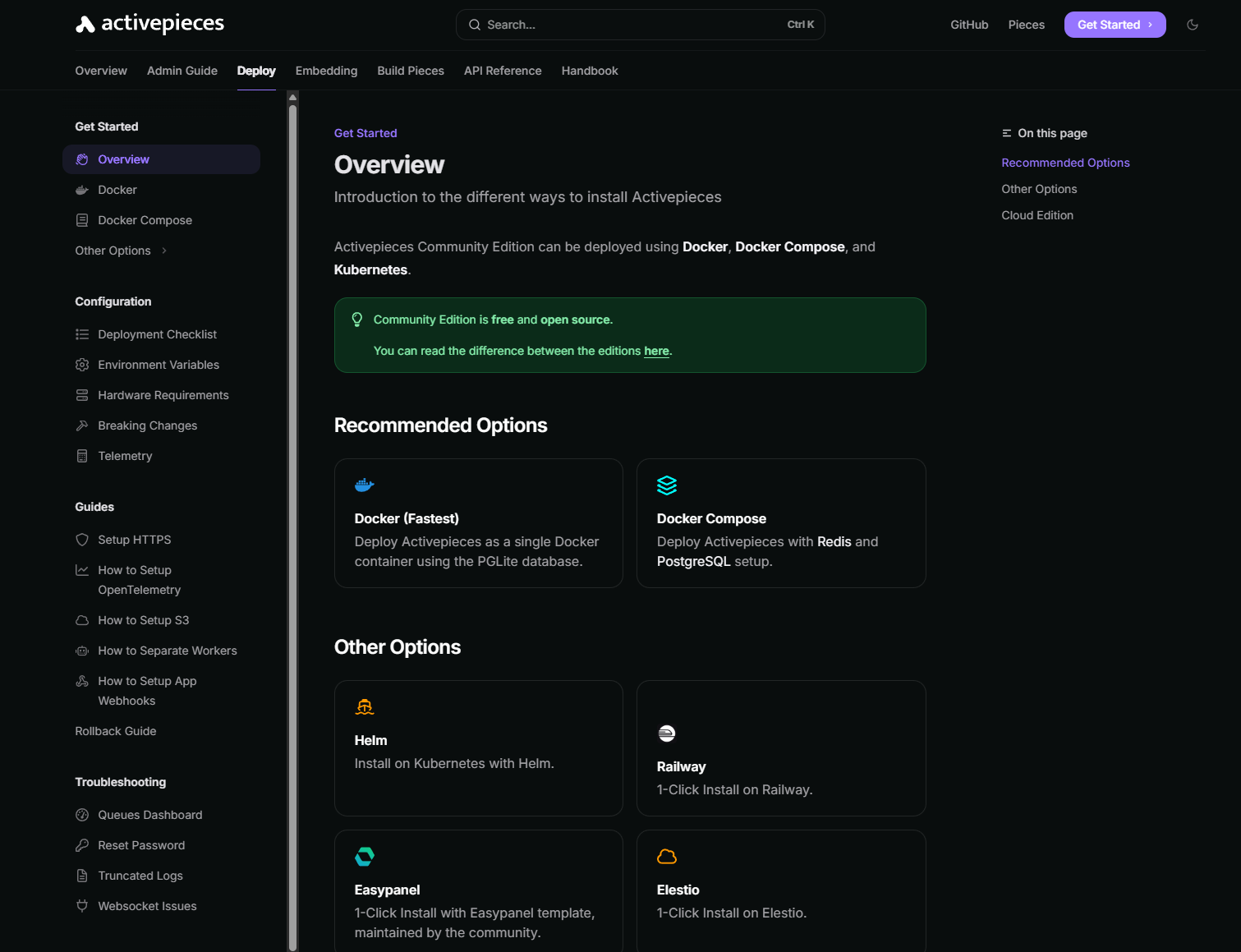
The Community Edition is free forever when self-hosted under the MIT license. There are no feature tiers, no user caps, no execution limits, and no time-limited trials. You get the complete platform.
All automation features without exception, all 200+ community pieces, unlimited flows, unlimited executions, unlimited team members, full REST API access, webhook support, code steps, conditional branching, loop logic, and the ability to build and install custom pieces.
The key limitation is that you are responsible for all infrastructure management, server provisioning, Docker setup, SSL configuration, database backups, version updates, and monitoring.
There is no official support; assistance comes from the community Discord and GitHub issues. Some enterprise governance features (SSO/SAML, detailed audit logs, custom branding) are reserved for paid tiers and not included.
If you have developers in your team then the ActivePieces community edition is the beft fit for you. Spinning up a VPS is cheap and fast. You just need some DevOps knowledge.
Pro Tip
Use the official docker-compose.yml from the Activepieces repository as your starting point. It's well-configured out of the box with sensible defaults. Add a reverse proxy (Caddy is particularly easy) for automatic SSL, and you'll have a production-ready deployment in under two hours.
I ran the Community Edition on a $10/month VPS with 2GB RAM and 2 vCPUs. Over two months, it processed thousands of daily executions across 50+ active flows without memory issues, crashes, or meaningful performance degradation. My all-in monthly cost for automation: $10 (hosting) plus my time for initial setup (about 2 hours).
The equivalent workload on Zapier's Professional plan would run $89-149/month. On Make, it would be $29-59/month depending on operation count.
3.2 Cloud Plan ($5/month) - Managed Simplicity
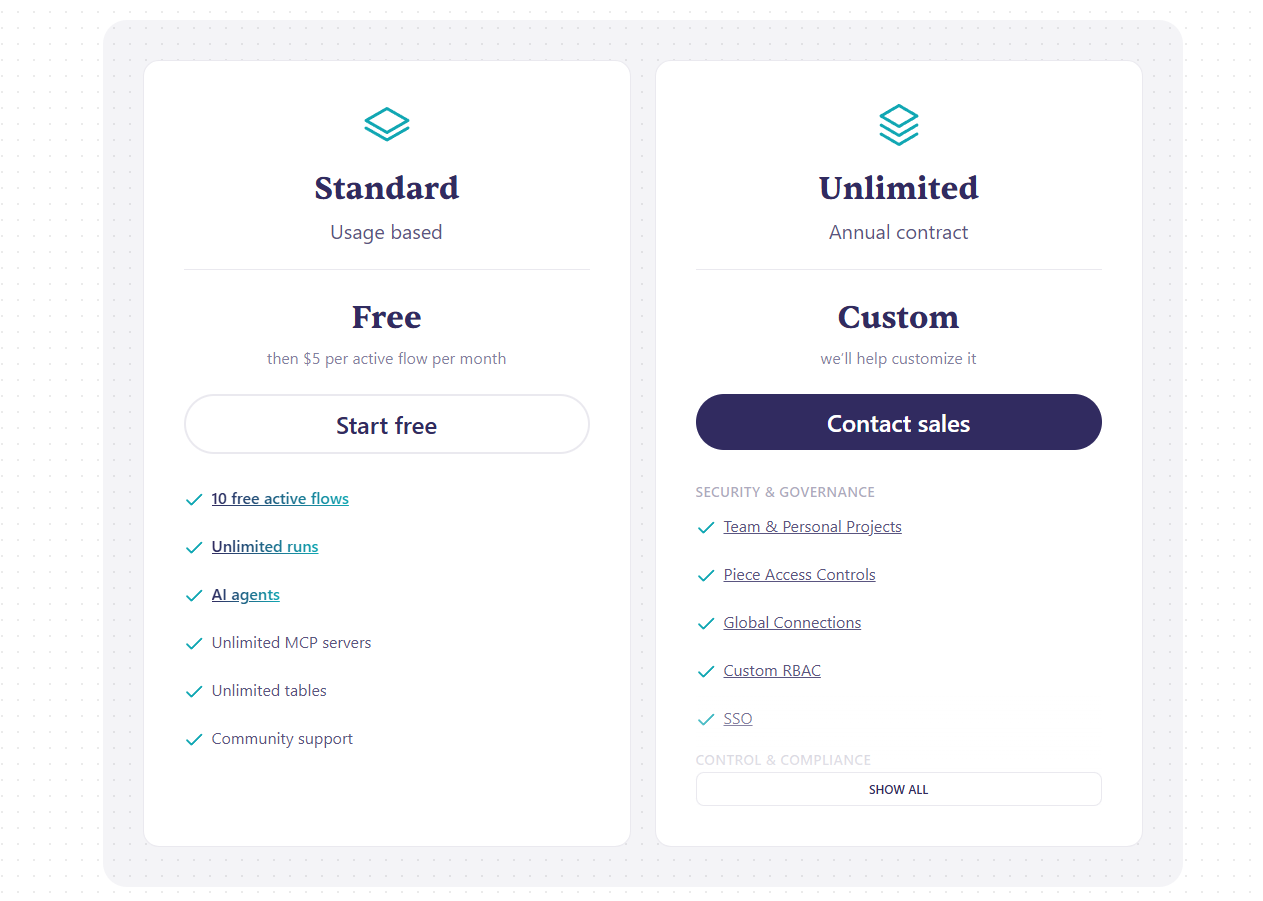
At $5/month, the Cloud plan eliminates self-hosting complexity while maintaining Activepieces' cost advantage over competitors. You get all the integrations, all the flow-building features, and automatic updates, managed by the Activepieces team.
Best For
Individuals, solo founders, and small teams with limited automation volume who want hosted convenience without infrastructure management.
What’s included:
- 10 free active flows then $5/month per flow
- unlimited runs
- access to AI agents
- access to all 200+ pieces
- unlimited MCP servers
- full flow builder with branches and loops
- community support
The key limitation here is obvious. You won’t get direct support on this plan, so if you are trying to automate something complex and want dedicated support, you are out of luck.
Also, If you need more than 10 active flows, you will have to pay, although it’s not very expensive considering you get unlimited runs.
Unfortunately, Activepieces retired their Pro plan, which stood between the Cloud Plan and the Enterprise Plan, in favor of simplifying their pricing structure.
3.3 Enterprise Plan (Custom) - Governance & Scale
Enterprise pricing is custom and covers the full governance and compliance stack: SSO/SAML integration, detailed audit logs, custom branding for embedded or white-label deployments, SLA guarantees, dedicated account management, priority support, and access to the Activepieces team for custom piece development.
Best For
Larger organizations with compliance requirements, teams needing SSO, and businesses that want to embed Activepieces into their own product as a white-label automation layer.
Hidden Costs
Enterprise contracts for young platforms can be unpredictable in negotiation. Get specific SLA terms in writing, uptime guarantees, support response time commitments, and roadmap influence expectations.
Pricing Comparison Table
🎨 Visual
Enhanced pricing comparison table with feature checkmarks
4. Key Features Deep Dive
4.1 Flow Builder - Clean & Intuitive
📸 Screenshot
Flow builder showing a multi-step automation with a branch and a loop step, highlighting data mapping between steps
What It Does: Activepieces' flow builder is where you construct automated workflows. It uses a linear, vertical step layout, a trigger at the top, actions below, with branches and loops inserted where conditional logic is needed. The design is deliberately approachable: clean typography, clear step containers, and a data picker that surfaces available fields from previous steps without requiring you to hand-write variable syntax.
How It Works: Every flow starts with a trigger, either an app-specific event (a new row in Google Sheets, a new contact in HubSpot), a webhook for receiving external data, or a schedule for time-based automation. After selecting and configuring the trigger, you add action steps sequentially. Each action step shows a field-mapping interface where you can reference outputs from any previous step using a visual picker rather than typing variable names. Add branch steps for if/else logic, loop steps to iterate over arrays, and code steps where pre-built actions fall short.
Real-World Use Case: We built a lead qualification and routing flow that demonstrates the builder's capability. New form submissions hit a webhook trigger. A code step scores the lead based on company size, industry, and job title (weighted algorithm, about 20 lines of TypeScript). A branch step routes high-scoring leads to one path and low-scoring leads to another. High-scoring leads get enriched via an HTTP call to Clearbit's API, then added to a specific HubSpot pipeline stage, and finally send a Slack notification to the relevant sales rep with all enriched data formatted as a message. Low-scoring leads get tagged in HubSpot and added to a nurture sequence. The whole flow took about 25 minutes to build, including testing.
What's Missing: The vertical layout is Activepieces' most significant UX limitation for complex flows. Make's visual canvas, where you can drag and arrange nodes spatially, handles multi-branch complexity far more gracefully. In Activepieces, a flow with five branches across 30+ steps becomes a long scroll through nested containers. There's also no flow versioning: if you modify a working flow and break something, you can't roll back to the previous version. This is a real gap for production workflows. Additionally, there's no way to nest flows within flows (sub-workflow capability), limiting how modular large automation systems can be.
Pro Tip
Name every step descriptively as you build. Activepieces displays step names in the data picker when you're mapping fields, so "Step 3" is far less useful than "Clearbit Enrichment Response" when you're five steps further down the flow.
4.2 Pieces (Integrations) - Community-Driven Growth
📸 Screenshot
The pieces catalog showing available integrations with search and category filtering
What It Does: Pieces are Activepieces' pre-built integrations, modular packages that expose triggers and actions for third-party applications. The catalog currently includes 200+ pieces covering the most widely-used business applications: Google Workspace, Slack, HubSpot, Notion, Stripe, GitHub, Discord, Airtable, and many more.
How It Works: Each piece is an independent npm package maintained either by the Activepieces core team or community contributors. Authentication is handled per-piece, most use OAuth2 flows or API key entry through the interface, and once connected, the piece exposes its available triggers and actions in a searchable menu. Pieces are versioned independently, so updates to one piece don't affect others.
Real-World Use Case: Our most-used pieces over the four months were Google Sheets, Slack, HubSpot, Gmail, Notion, GitHub, and the HTTP piece. All performed reliably. We needed to connect to an internal tool our company uses for project tracking, it wasn't in the catalog. Using the HTTP piece (which makes authenticated API calls to any REST endpoint), we connected it within 20 minutes without writing a custom piece. The HTTP piece is genuinely powerful as a universal escape hatch.
What's Missing: At 200+ pieces, the catalog covers mainstream tools well but has real gaps in niche categories. Marketing automation platforms beyond the basics, industry-specific tools (legal, healthcare, construction), and many European SaaS products are missing. If your stack includes anything off the beaten path, you should check the current piece list before committing to Activepieces. Community-contributed pieces also vary in quality, some have limited actions compared to what the app's API supports, because the contributor implemented what they personally needed.
Pro Tip
Before building a complex integration with the HTTP piece, check the Activepieces GitHub repository and community Discord. Pieces in active development sometimes appear in GitHub pull requests weeks before they hit the catalog, and the community can point you to in-progress work you could test.
4.3 Code Step - Full Developer Flexibility
📸 Screenshot
Code step editor showing TypeScript code with input variable references and a test run output panel
What It Does: The code step lets you write arbitrary TypeScript or JavaScript within a flow, with full access to outputs from previous steps as input variables and the ability to import npm packages for additional functionality. It's the escape hatch for every scenario where pre-built pieces don't cover your logic.
How It Works: Add a code step anywhere in a flow. The editor provides a TypeScript environment with autocompletion for the input variables you declare. Write your logic, import npm packages with a standard import statement (Activepieces bundles them automatically), return an object with your output data, and test the step against real trigger data before saving. Subsequent steps can reference anything you return.
Real-World Use Case: We used code steps for three distinct purposes during testing. First, a lead scoring algorithm that weighted multiple HubSpot contact properties into a single numeric score. Second, a data transformation step that reformatted dates, currencies, and phone numbers from European formats to US formats before writing to a spreadsheet. Third, a deduplication check that called our PostgreSQL database via a community-contributed DB piece to verify whether a contact already existed before creating it. All three were straightforward to implement for a developer with basic TypeScript knowledge, none would have been possible with pre-built pieces alone.
Caution
Code steps introduce a maintenance burden that pre-built pieces don't. Custom code you write today needs to be maintained if the upstream data format changes. Document what each code step does and why, your future self (or a colleague) will thank you.
4.4 Branches & Loops - Conditional Logic That Actually Works
📸 Screenshot
Branch step configuration showing multiple condition groups with AND/OR logic and the resulting split flow paths
What It Does: Branches implement conditional logic, if certain conditions are true, execute one sequence of actions; if not, execute another. Loops iterate over arrays, running a sub-sequence of actions for each item in the list.
How It Works: Branch steps use a visual condition builder: select a field from a previous step, choose a comparison operator (equals, contains, greater than, is empty, etc.), and enter a comparison value. Multiple conditions can be combined with AND/OR logic. Each branch path is a separate action sequence that only executes when its conditions are met. Loop steps take an array input, define the sub-flow to execute for each item, and handle iteration automatically.
Real-World Use Case: Our most complex use of branching was an invoice processing automation. New Stripe payment intents trigger the flow. The first branch checks payment status: failed payments go to a remediation sequence; successful payments continue. The second branch checks invoice amount: under $1,000 auto-generates and emails the invoice; $1,000-$10,000 sends a Slack message to the accounting manager for review; over $10,000 creates a task in our project management tool and sends email alerts to both the accounting manager and CFO. The loop was used in a reporting flow that processes a Google Sheets range row by row, transforming each row and writing to HubSpot.
What's Missing: Branches are binary (true/false). If you need switch-case logic with more than two outcomes, you need nested branches, which get verbose quickly. There's no "merge" step to reunite branch paths before continuing with a shared action sequence, once you branch, the two paths are independent for the rest of the flow. And loop error handling is basic: if one iteration fails, the loop stops by default, which isn't always the right behavior for large batch processing.
4.5 Self-Hosting - Full Data Sovereignty
📸 Screenshot
Docker deployment showing container status, resource usage, and the Activepieces web interface loading on a custom domain
What It Does: Self-hosting lets you run the complete Activepieces platform on your own infrastructure. No data leaves your environment, not credentials, not flow configurations, not execution logs, not the contents of data being processed through your automations.
How It Works: Activepieces runs as a set of four Docker containers: the main application server (Next.js frontend + API), an execution worker that runs your flows, a PostgreSQL database for storing flow configurations and execution history, and a Redis instance for job queue management. Docker Compose orchestrates all four, and the official repository includes a production-ready compose file. SSL/HTTPS requires a reverse proxy, which you configure separately.
Real-World Use Case: Our most meaningful self-hosting scenario was for a client in a healthcare-adjacent industry with strict data handling requirements. Their workflow involved processing patient intake forms, enriching data from multiple internal sources, and routing to appropriate care coordinators. Using a cloud automation platform, where patient data would transit Zapier's or Make's servers, was off the table. Self-hosted Activepieces, deployed on their EU-based infrastructure, solved this cleanly. All data stayed within their environment. All credentials for their internal systems were stored in their own database. The GDPR and data residency boxes were checked without compromise on automation capability.
What's Missing: Self-hosting is a responsibility, not just a feature. There's no auto-update mechanism, you pull new Docker images and restart containers manually (or build a CI/CD pipeline to do it). There's no built-in backup configuration, you set up PostgreSQL backups yourself. There's no horizontal auto-scaling, if your worker can't keep up with execution volume, you configure additional workers manually. None of these are insurmountable, but they require ongoing attention that a managed SaaS product doesn't.
Pro Tip
Set up a simple update script and run it monthly on a schedule. Missing updates isn't just about features, it means missing security patches. A two-line shell script that pulls new images and restarts containers takes five minutes to write and can save significant problems down the line.
4.6 Scheduling & Webhooks - Triggering Flows Your Way
📸 Screenshot
Schedule trigger configuration showing cron expression builder alongside the flow execution history panel
What It Does: Beyond app-specific triggers, Activepieces offers two universal trigger types: schedules (run a flow on a time-based schedule) and webhooks (receive data from any external system and trigger a flow).
How It Works: Schedule triggers use cron expressions for maximum flexibility, run every 5 minutes, every day at 9am on weekdays, on the first Monday of each month, or a simpler interval picker for common schedules. Webhook triggers generate a unique endpoint URL that any system can POST data to. The flow receives the request payload and can use it as trigger data for subsequent steps.
Real-World Use Case: We used scheduled flows for a daily report that pulled data from Google Analytics, Stripe, and HubSpot, formatted it into a digest, and sent it to a Slack channel every morning at 8am. The webhook trigger was essential for connecting systems that don't have a native Activepieces piece but can make HTTP POST requests, including our legacy internal CRM, several WordPress plugins, and a custom-built mobile app.
5. Activepieces Pros: The Open-Source Edge
🎨 Visual
Pros summary infographic with icons for each major advantage
Truly Free Self-Hosting With No Feature Gates
The MIT license is not just a legal detail, it has real practical implications. You get every feature, every integration, every capability with zero software cost. There are no "team features" locked behind a paywall, no execution limits that force an upgrade, and no user caps that surprise you when your team grows. Compare this to n8n's Sustainable Use License, which restricts commercial use of the self-hosted version in specific ways, or to every other commercial automation platform where self-hosting either isn't offered or is limited to premium tiers.
For a startup that's cost-sensitive but technically capable, running Activepieces on a $10/month VPS gives you an enterprise-quality automation backbone for under $120/year. We calculated that our equivalent workflow volume on Zapier would cost approximately $1,200-1,800 annually. The self-hosted option isn't marginally cheaper, it's an order of magnitude cheaper.
Surprisingly Polished Interface for an Open-Source Tool
Most open-source tools make a trade: they sacrifice UX depth for feature breadth or development speed. Activepieces doesn't. The flow builder is genuinely well-designed, clear visual hierarchy, sensible defaults, a data mapper that guides you rather than requiring you to know syntax, and a step-testing workflow that makes debugging feel natural rather than frustrating.
During our testing, I asked three non-technical team members (a marketing manager, an operations coordinator, and a customer success lead) to build their first flow using Activepieces without training. All three completed a working three-step flow within 45 minutes. Two of the three had attempted n8n previously and given up. That's the difference a focused UX investment makes, and it's what sets Activepieces apart in the open-source category.
Rapid and Transparent Development Pace
The Activepieces team ships constantly. Over our four-month testing period, the piece catalog grew from approximately 180 pieces to over 210. New features, including improvements to the branch editor, a better code step experience, and several new trigger types, shipped in that window. Every release is documented in the GitHub changelog, and community requests in GitHub issues visibly influence the roadmap.
This pace is both a strength and a caveat. The strength: issues get fixed quickly, and the platform you evaluate today is meaningfully better in three months. The caveat: rapid shipping occasionally means rough edges ship too. We encountered two minor bugs during testing, both were reported and fixed within the same release cycle.
Custom Piece Framework That Developers Can Actually Use
Building a new Activepieces piece is well-documented and structurally clean. The piece SDK provides TypeScript types for triggers and actions, handles authentication flows, and abstracts the infrastructure layer. A developer who's written TypeScript and worked with REST APIs can build a functional custom piece in two to four hours. We built one to connect a client's internal tool and found the experience genuinely pleasant compared to building custom integrations for other platforms.
More importantly, custom pieces can be shared, either contributed back to the community repository or installed privately on a self-hosted deployment. This means the integration catalog isn't a ceiling; it's a floor that your team can extend whenever needed.
Data Sovereignty That Cloud Platforms Can't Match
When you self-host Activepieces, your automation data stays entirely on your infrastructure. Credentials for connected apps live in your database. Execution logs, which often contain sensitive business data being processed through flows, are stored on your servers. Flow configurations that reveal your business logic are private.
For industries with compliance requirements (healthcare-adjacent, financial services, legal), data residency mandates (EU organizations under GDPR), or simply general privacy principles, this capability is not available at any price from Zapier. It's technically available from n8n but with a more complex setup. Activepieces makes it accessible to teams without deep DevOps expertise.
Y Combinator Backing Suggests Project Longevity
The open-source software graveyard is full of promising projects that ran out of funding, lost their core maintainers, or pivoted away from their original mission. YC backing doesn't guarantee success, but it does provide the financial runway to develop the platform, the network to hire talent, and the accountability structure of a company with investors, rather than a volunteer-maintained hobby project.
This matters for the "should I build my business processes on this?" evaluation. Activepieces is more likely to be around and improving in three years than a random open-source project, even if it's less certain than building on Zapier or Make.
6. Activepieces Cons: The Growing Pains
🎨 Visual
Cons summary infographic highlighting the main pain points with impact ratings
Limited Integration Catalog Compared to Competitors
200+ pieces is genuinely useful for teams using mainstream business tools. But the gap between Activepieces and its competitors is substantial: Zapier (8,000+), Make (1,500+), n8n (400+). If you use any niche, industry-specific, or regional tools. European SaaS products, legacy enterprise systems, specialized vertical software, the odds of finding a native piece are lower than with competitors.
In practice, the HTTP piece covers many gaps: if an app has a REST API and you're comfortable with API concepts, you can connect it without a native piece. But this requires technical knowledge, time, and ongoing maintenance if the API changes. For non-technical users, an absent piece means an absent integration, full stop.
Young Platform With Occasional Rough Edges
Activepieces has been in production since 2023. Zapier has been running since 2011. That twelve-year gap represents an enormous amount of edge-case testing, bug fixing, and platform hardening that Activepieces simply hasn't had time to accumulate. During our four months of testing, we encountered a loop step that failed silently on empty arrays (rather than completing gracefully), a piece authentication screen that didn't properly handle expired OAuth tokens with a clear error message, and an execution history view that was slow to load for flows with many historical runs.
None of these bugs stopped our work, and both were fixed in subsequent releases. But they're reminders that the platform is still accumulating that production maturity. Teams running mission-critical automations should have fallback plans and monitor execution status actively.
Self-Hosting Is Only Free If Your Time Is Free
The "free" Community Edition is only free in the sense that no software license fee is charged. The time cost of setup, maintenance, updates, troubleshooting, and capacity management is real. A developer spending two hours per month on Activepieces maintenance at a blended cost of $100/hour is spending $200/month on "free" hosting, more than Make's Pro plan. Small teams without dedicated DevOps resources should calculate the true total cost of ownership honestly before choosing self-hosting over a managed cloud plan.
Hidden Costs
Factor in the time cost of: initial setup (2-4 hours), SSL/reverse proxy configuration (1-2 hours), setting up monitoring and alerting (2-3 hours), configuring automated backups (1-2 hours), and monthly updates (30-60 minutes). That's 8-12 hours of initial investment and 6-12 hours annually ongoing.
Smaller Community Than n8n Means Fewer Resources
When you encounter an edge case on Zapier, you'll find a help article, a community forum thread, and probably a YouTube video explaining exactly your situation. When you hit an n8n problem, the community forums and Reddit have extensive threads from the platform's years of growth. When you encounter an Activepieces issue, you're working with a younger, smaller community. The Discord is active and the team is responsive, but the volume of solved problems documented publicly is lower. You'll more often be breaking new ground rather than following established paths.
Missing Enterprise Governance Features
No SOC 2 Type II certification on self-hosted deployments. Limited audit logging that doesn't provide the granularity enterprise compliance teams require. Basic team management without role-based access controls beyond admin/member distinctions. No official HIPAA business associate agreement. These gaps don't matter for startups and SMBs, but they're genuine blockers for regulated industries and large organizations with compliance mandates. The Enterprise plan addresses some of these, but the platform's overall compliance story is still developing.
No Visual Canvas for Complex Flow Design
Make's visual scenario builder, where you place and connect nodes spatially on a canvas, is genuinely superior for visualizing and designing complex automations. When a flow has six branches, multiple loops, and thirty steps, Make's canvas keeps the full structure visible and navigable. Activepieces' vertical linear layout requires scrolling through nested containers, and mentally tracking where you are in a complex flow becomes challenging. This is a UX limitation that makes Activepieces less suitable for the most complex automation architectures.
Caution
Self-hosted Activepieces does not receive automatic updates. You must manually pull new Docker images and restart containers to receive security patches and bug fixes. Set a monthly calendar reminder and treat this as a non-optional maintenance task. Running outdated automation infrastructure is a security and reliability risk that's easy to avoid with a simple process.
What we like
- Most polished UI of any open-source automation platform, genuinely Zapier-like
- MIT license means complete freedom to self-host, modify, and fork
- Self-hosted Community Edition is completely free with no execution limits
- Non-technical users can build flows within 45 minutes without training
- Code steps available for custom logic when pre-built pieces fall short
- Community-contributed pieces grow the catalog rapidly (30+ added in 4 months)
- Branches, loops, and webhooks all work in the free Community Edition
- Y Combinator backing signals serious growth trajectory
What could be better
- Only 200+ integrations, far below Zapier (8,000+), Make (1,500+), or n8n (400+)
- Platform is still young, occasional rough edges and feature gaps remain
- No mobile apps for iOS or Android
- Self-hosting requires Docker experience and ongoing maintenance
- Enterprise governance features (SSO, audit logs) require Enterprise tier
- Cloud plan task limits are restrictive for moderate workloads
- Some pieces have fewer actions than comparable tools on more mature platforms
7. Setup & Implementation Requirements
🎨 Visual
Implementation timeline infographic showing the week-by-week breakdown for both self-hosted and cloud deployment paths
Getting started with Activepieces is genuinely fast compared to most software infrastructure. The question isn't whether you can get it running, it's whether you've set it up correctly for production reliability.
The Real Timeline
🎨 Visual
Week-by-week breakdown chart for self-hosted vs cloud paths
Cloud Path (Days 1-2):
Getting started on the cloud plan takes minutes. Sign up, verify email, and you're inside the flow builder. The real work is connecting your first integrations (OAuth flows for each app) and building your initial flows. Day one: account setup and first working flow. Day two: additional integrations, more complex flows, and team member invitations.
Self-Hosted Path - Week 1: Infrastructure Setup
The first week is about infrastructure rather than automation. Provision a VPS from your preferred provider (DigitalOcean, Linode, Hetzner, AWS Lightsail, any Linux VPS with 2GB+ RAM works). Install Docker and Docker Compose. Configure a domain name and DNS. Deploy Activepieces using the official docker-compose.yml. Set up a reverse proxy (Caddy is the simplest choice for automatic SSL). Test that the installation is accessible over HTTPS. Configure SMTP for email notifications from the platform. This is the week that filters out non-technical teams, if this list doesn't feel familiar, you need either a technical team member or a cloud plan.
Pro Tip
Use Hetzner Cloud for self-hosting. Their CX21 plan (3GB RAM, 2 vCPUs) costs approximately €4.50/month, cheaper than DigitalOcean's equivalent and with excellent European data center options for EU data residency requirements.
Self-Hosted Path - Week 2: Production Hardening
Once the base installation is working, spend week two on production reliability. Set up automated PostgreSQL backups (pg_dump to object storage works well). Configure monitoring with a free uptime tool like UptimeRobot to alert you if the platform goes down. Create a simple update script for pulling new Docker images. Document your deployment configuration so another team member can manage it if needed. Test your backup and restore process before you need it, discovering your backups don't work during an incident is not the time you want to discover this.
Self-Hosted Path - Week 3: Flow Development
With infrastructure stable, week three focuses on building your actual automation flows. Start with your highest-value, lowest-complexity use cases. Get familiar with the data mapper. Build three to five foundational flows that deliver immediate value. Identify any integration gaps and evaluate whether the HTTP piece covers them or whether you need to build a custom piece.
Self-Hosted Path - Week 4: Team Onboarding and Optimization
Invite team members. Run a one-hour training session showing the flow builder basics, non-technical users can manage existing flows and build simple ones after a single session. Establish naming conventions for flows and steps. Set up a shared documentation page for your team's automation library. Review execution logs from your first production week and fix any edge cases that emerged.
Migration From Other Platforms
There's no automated migration path from Zapier or Make to Activepieces. You rebuild flows manually. This sounds painful, but migrations are actually opportunities to audit and rationalize your automation stack, many teams discover they have Zaps running that nobody knows about or needs. Budget two to four hours per complex flow for rebuilding and testing. Simple single-action triggers take fifteen to thirty minutes each.
Caution
Don't turn off your existing automation platform until you've run Activepieces flows in parallel for at least a week and confirmed they're producing correct results. Silent data errors in automation are hard to detect after the fact.
Common Implementation Mistakes
The three mistakes we see most often in Activepieces implementations: running the platform without SSL on a public-facing server (never acceptable for a system that handles credentials and business data), not setting up backup monitoring (backups that fail silently are worse than no backups because they create false confidence), and building every flow as a single monolithic sequence instead of designing for modular reuse.
8. Activepieces vs Competitors: Detailed Comparisons
🎨 Visual
Competitor logos arranged in a comparison layout with Activepieces at center
Activepieces vs n8n: The Open-Source Showdown
n8n is Activepieces' most direct competitor, the other major open-source automation platform with a meaningful community and an active development team. Choosing between them is the most common decision open-source automation evaluators face.
Where n8n Wins:
- Larger integration catalog (400+ nodes vs 200+ pieces), including more niche and developer-specific tools
- More mature platform with three additional years of production use and bug-fixing
- More powerful advanced features: sub-workflow execution, more granular error handling, credential sharing across team members, and a more capable JavaScript execution environment
- Larger community with more documented solutions to common problems
- More flexible node-based visual editor that some developers prefer for complex flows
Where Activepieces Wins:
- Significantly better UX for non-technical users, the most important differentiator
- Cleaner, more modern interface that non-developers don't find intimidating
- MIT license vs n8n's Sustainable Use License (which restricts building a competing product with n8n)
- Simpler self-hosting setup with a better out-of-the-box docker-compose configuration
- More approachable custom integration development for developers unfamiliar with n8n's node architecture
- Faster growth trajectory in integration count (n8n's catalog has slowed relative to its earlier pace)
Pricing Comparison: Both are free to self-host (with the license caveat for n8n). n8n's cloud plans start at $20/month vs Activepieces' $5/month, making Activepieces significantly cheaper for managed hosting.
Choose n8n if: Your team is primarily developers comfortable with a more technical interface, you need the additional integrations or advanced workflow features, or you're building complex automation architectures with sub-workflows and advanced error handling.
Choose Activepieces if: Your team includes non-technical users who need to build or manage flows, you want the most permissive open-source license, you want simpler self-hosting with a more polished interface, or you're cost-sensitive on cloud hosting.
Activepieces vs Zapier: Open Source vs Industry Standard
Zapier is the category-defining platform that Activepieces explicitly positions against. The comparison is useful because it frames exactly what you give up and gain by choosing Activepieces.
Where Zapier Wins:
- 8,000+ integrations vs 200+—this gap is enormous and the primary reason most businesses choose Zapier
- The most polished, mature interface in the category, refined over fifteen years of development
- Robust enterprise features: SOC 2 Type II, SSO, audit logs, role-based access, advanced collaboration
- Extensive documentation, a vast community knowledge base, and professional support
- AI features (Zapier AI) for building flows with natural language
- Established partner ecosystem with certified consultants and agencies
Where Activepieces Wins:
- Cost: free self-hosting vs $89-149/month on comparable Zapier plans, a 10-15x cost difference
- Data sovereignty: self-hosting keeps all data on your infrastructure
- No per-task pricing anxiety: unlimited executions on self-hosted deployments mean you don't optimize flows to reduce task consumption
- Open source: full auditability, no vendor lock-in, ability to extend the platform
Pricing Comparison: Zapier Professional runs $89/month (billed annually) for unlimited Zaps and 2,000 tasks. Activepieces self-hosted is $10/month for server hosting with unlimited everything. The cost differential over three years: approximately $3,000+ on Zapier vs $360 on a self-hosted VPS.
Choose Zapier if: Integration breadth is paramount, you have a non-technical team with no DevOps capability, you need enterprise compliance certifications, or you value the maturity and support ecosystem.
Choose Activepieces if: Cost efficiency matters, data sovereignty is a requirement, you have or can hire technical resources for setup, or your integration needs are covered by the 200+ piece catalog.
Activepieces vs Make (Integromat): Visual Power vs Open Source
Make is a different kind of competitor, it's not open source, but it's considerably cheaper than Zapier and features the best visual scenario builder in the category.
Where Make Wins:
- Superior visual canvas builder that handles complex multi-branch flows far more elegantly
- 1,500+ integrations, a meaningful middle ground between Activepieces and Zapier
- More powerful data transformation tools built into the interface without requiring code steps
- Better error handling workflows with dedicated error routes and retry logic
- Established free tier with 1,000 operations/month
Where Activepieces Wins:
- Self-hosting: Make is cloud-only
- Open source transparency and MIT license
- Better pricing for high-volume self-hosted workloads (no operation counting)
- Simpler learning curve for basic flows
Choose Make if: You need a visual canvas for complex automation design, want more integrations than Activepieces provides, and are comfortable with a cloud-only managed platform.
Choose Activepieces if: Self-hosting is required, open-source principles matter, or your automation needs are within the 200+ piece catalog.
Feature Comparison Table
🎨 Visual
Interactive comparison table with star ratings
| Feature | Activepieces | n8n | Zapier | Make |
|---|---|---|---|---|
| Ease of Use | ⭐⭐⭐⭐ | ⭐⭐⭐ | ⭐⭐⭐⭐⭐ | ⭐⭐⭐⭐ |
| Integration Count | ⭐⭐⭐ | ⭐⭐⭐⭐ | ⭐⭐⭐⭐⭐ | ⭐⭐⭐⭐ |
| Self-Hosting | ⭐⭐⭐⭐⭐ | ⭐⭐⭐⭐⭐ | ⭐ | ⭐ |
| Pricing Value | ⭐⭐⭐⭐⭐ | ⭐⭐⭐⭐⭐ | ⭐⭐⭐ | ⭐⭐⭐⭐ |
| UX/UI Quality | ⭐⭐⭐⭐ | ⭐⭐⭐ | ⭐⭐⭐⭐⭐ | ⭐⭐⭐⭐⭐ |
| Visual Canvas | ⭐⭐ | ⭐⭐⭐ | ⭐⭐ | ⭐⭐⭐⭐⭐ |
| Enterprise Features | ⭐⭐ | ⭐⭐⭐ | ⭐⭐⭐⭐⭐ | ⭐⭐⭐⭐ |
| Community Size | ⭐⭐⭐ | ⭐⭐⭐⭐ | ⭐⭐⭐⭐⭐ | ⭐⭐⭐⭐ |
| Open Source | ⭐⭐⭐⭐⭐ | ⭐⭐⭐⭐ | ⭐ | ⭐ |
| Development Pace | ⭐⭐⭐⭐⭐ | ⭐⭐⭐⭐ | ⭐⭐⭐⭐ | ⭐⭐⭐⭐ |
9. Best Use Cases & Industries
🎨 Visual
Industry icons with use case highlights and fit ratings
Privacy-Conscious Organizations - Perfect Fit
Any organization that handles sensitive data and has concerns about third-party data access has limited options in the automation space. Cloud platforms like Zapier and Make process your data through their infrastructure, credentials, execution payloads, and processing results all transit their servers. For organizations handling patient data, legal documents, financial records, or proprietary business intelligence, this is a meaningful risk.
Self-hosted Activepieces eliminates this concern entirely. Your data never leaves your environment. For GDPR compliance in the EU, data residency requirements in regulated industries, or general data minimization principles, this capability is uniquely valuable.
Key Success Factors: Technical resources for deployment and maintenance, clear data handling requirements that self-hosting satisfies, willingness to invest in initial infrastructure setup.
Cost-Conscious Startups and SMBs - Perfect Fit
Early-stage companies often implement automation on Zapier, then experience sticker shock as their automation volume grows and monthly costs climb into hundreds of dollars. Activepieces' self-hosted model eliminates this entirely: automation costs are flat (your hosting bill) regardless of execution volume.
The polished interface means non-technical founders and team members can build their own flows without needing a developer for every automation. That multiplies the value further. We've seen startups save $500-1,500/month in Zapier costs by migrating to self-hosted Activepieces, savings that can fund a meaningful slice of infrastructure or talent.
Key Success Factors: At least one team member comfortable with Docker and basic Linux administration, integration needs covered by the 200+ piece catalog, willingness to accept slightly more maintenance overhead than a managed SaaS product.
Development Teams Automating Internal Processes - Good Fit
Development teams are natural Activepieces users: they have the DevOps skills for self-hosting, the TypeScript knowledge for code steps, and the need for internal process automation that doesn't require enterprise compliance. Common use cases include automating development workflow notifications (GitHub events to Slack), syncing project management tools, automating deployment communications, and connecting internal tools that lack native integrations.
The custom piece framework is a particular advantage for dev teams: if your team uses an internal tool, a developer can build a piece for it. This is more sustainable than the HTTP piece approach for frequently-used connections.
Key Success Factors: Comfort with open-source tooling, ability to build custom pieces when needed, internal tools that benefit from automation connectivity.
Best For
Development teams who want automation ownership without the black-box nature of cloud platforms, and who want to extend the platform to cover their specific toolstack.
Marketing Operations Teams - Good Fit With Caveats
Marketing ops teams live in automation, lead routing, CRM sync, campaign triggering, reporting pipelines. Activepieces covers many of these use cases: HubSpot, Google Sheets, Slack, Gmail, and similar core marketing stack tools are well-covered by existing pieces.
The caveat is the integration gap. Marketing stacks often include specialized tools, specific email platforms, attribution tools, advertising platforms, content management systems, that may not have native Activepieces pieces. Before committing, map every tool in your marketing stack against the current piece catalog. Fill gaps with HTTP piece evaluations.
Key Success Factors: Marketing stack primarily composed of mainstream tools covered by existing pieces, at least one technically capable team member for HTTP piece connections and troubleshooting.
Agencies Building Client Automation - Mixed Fit
Agencies building automation for clients face a choice: recommend Activepieces (potentially self-hosted for data isolation, cost-efficient) or stick with more recognizable platforms. The main tension is client expectation versus cost efficiency and data control.
On the positive side: self-hosted Activepieces gives each client complete data isolation and impressive cost efficiency. On the negative side: clients asking "what are you using for automation?" may not recognize Activepieces, and some may prefer the brand familiarity of Zapier even at higher cost.
Key Success Factors: Client sophistication and openness to less familiar tools, agency technical capability to manage self-hosted deployments for multiple clients, clear contracts around infrastructure management responsibilities.
Enterprise Organizations - Mixed Fit
Enterprise evaluation of Activepieces involves a list of requirements that the platform partially meets. SOC 2 certification: available on Enterprise plan. SSO/SAML: available on Enterprise plan. Audit logs: basic on all plans, advanced on Enterprise. HIPAA: not currently supported. Formal SLA with uptime guarantees: Enterprise plan only.
The Enterprise plan addresses enough of these requirements that mid-market organizations with moderate compliance needs may find Activepieces viable. For highly regulated industries (healthcare, financial services, defense contracting) with strict compliance mandates, the platform isn't there yet.
10. Who Should NOT Use Activepieces
🎨 Visual
Warning box design with clear indicators for each category
Teams Needing Extensive Pre-Built Integrations
If your automation requirements span niche, industry-specific, or regional tools, the 200+ piece catalog will have gaps you can't paper over with the HTTP piece. Before ruling out Activepieces entirely, audit your specific integration requirements against the current catalog, but if you find more than two or three missing pieces, the maintenance overhead of HTTP-based workarounds may outweigh the cost savings. For teams with complex, multi-platform automation needs across many different applications, Zapier's 8,000+ integrations or Make's 1,500+ provide coverage that Activepieces cannot currently match.
Consider Zapier if integration breadth is your primary requirement. Consider Make if you want visual workflow design with broader integration coverage at reasonable cost.
Non-Technical Teams Without DevOps Budget
The self-hosted advantage only exists if you can manage the hosting. A non-technical team that can't provision a VPS, configure Docker, set up SSL, and manage updates is not equipped to self-host Activepieces. For these teams, the cloud plans ($5-10/month) are viable, but at those price points and task limits, competitors like Make's free tier or Zapier's entry plans may offer better value and a more mature product experience. The cloud plans are Activepieces' weakest value proposition; the Community Edition is its strongest.
Organizations Requiring Formal Compliance Certifications
Teams with HIPAA requirements, organizations needing SOC 2 Type II certification on their automation platform as a vendor, and businesses requiring ISO 27001 compliance cannot currently rely on Activepieces as their primary automation platform. The platform is actively working on compliance certifications, and the Enterprise plan provides more governance structure, but as of this review, formal compliance certifications are not in place for the standard tiers. If your procurement or security review process requires these certifications, evaluate competitors that have completed them before considering Activepieces.
Teams That Need Immediate Out-of-the-Box Productivity
Activepieces is worth the investment if you're willing to learn a new platform, potentially self-host, and accept a growing catalog. If you need to be fully operational with complex automation by next week using a tool your whole team already knows, an established platform is the pragmatic choice. The maturity gap is real, and for teams that don't have time to work through rough edges and evolving documentation, that maturity has value worth paying for.
11. Security & Compliance
🎨 Visual
Security certification badges with status indicators
Security for Activepieces has two distinct stories depending on deployment model.
Self-Hosted Security: Your security posture is your own. Activepieces provides the application; you provide the infrastructure security. This means you're responsible for server hardening, firewall configuration, SSL certificate management, database access controls, and network security. The application itself uses standard security practices, hashed credentials, encrypted connections between containers, and proper authentication flows, but the surrounding infrastructure is your responsibility. For security-conscious organizations with DevOps capability, this is actually an advantage: you control every layer. For teams without security expertise, it means you can misconfigure your way into vulnerabilities that Activepieces can't protect against.
Cloud Security: The managed cloud plans use HTTPS throughout, with credentials stored in an encrypted database managed by Activepieces. Standard cloud security practices apply. The platform does not have published third-party security audit results for the cloud infrastructure as of this review.
Compliance Certifications
🎨 Visual
Compliance certification status table
| Certification | Status |
|---|---|
| SOC 2 Type II | Enterprise plan (in progress) |
| GDPR | Yes (especially advantageous with self-hosting) |
| HIPAA | Not currently supported |
| ISO 27001 | Not currently certified |
| PCI DSS | Not applicable |
Reality Check
The compliance picture will evolve as the company matures. YC-backed companies moving upmarket typically invest heavily in compliance certifications. Check the current Activepieces website for the most up-to-date certification status, as this is an area likely to improve between when this review was written and when you're reading it.
Pro Tip
For self-hosted deployments, implement basic security hygiene that Activepieces documentation doesn't explicitly require: change all default passwords in the docker-compose environment variables before first launch, configure your firewall to only expose ports 80 and 443 externally, run the PostgreSQL container without external port exposure, and enable fail2ban or equivalent for your SSH access.
12. Customer Support Reality Check
🎨 Visual
Support tier comparison showing channels and response times by plan
The support experience on Activepieces varies significantly by plan, and it's worth being clear-eyed about what you're getting before committing.
Community Edition (Self-Hosted) Support:
There is no official support. Assistance comes from the community Discord, GitHub issues, and community-contributed documentation. The Discord server is genuinely active, questions posted during business hours typically receive responses within a few hours, often from core team members who participate in the community. GitHub issues are monitored and responded to, with bug reports typically acknowledged within 24-48 hours.
The documentation quality is good for core functionality and improving consistently. For advanced topics, self-hosting configurations beyond the standard docker-compose setup, custom piece development, and integration with specific enterprise tools, you may need to piece together information from Discord history, GitHub issues, and community blog posts. The knowledge base is growing but is not yet comprehensive.
Cloud Plan Support:
Email support is included with cloud plans. Response times from our testing averaged 4-8 hours during business hours. The support team is knowledgeable, but for complex technical issues, the team is small, expect the occasional slower response on edge cases.
Pro Plan Support:
Priority support with faster response commitments. Based on our testing, priority email responses came within 1-2 hours during business hours for most issues.
Enterprise Plan Support:
Dedicated account management, committed response time SLAs, and direct access to the engineering team for complex technical issues. This is the support tier appropriate for organizations with production dependencies on Activepieces.
Reality Check
If you're used to Zapier's extensive help center (with articles for virtually every integration and common use case), Activepieces' documentation will feel limited in places. This is expected for a young platform and will improve over time. The Discord community is a genuine partial substitute, searching Discord history often surfaces answers to common questions.
13. Performance & Reliability
🎨 Visual
Performance comparison graph showing execution latency and uptime metrics
Performance on Activepieces has two distinct profiles: self-hosted (where performance depends entirely on your infrastructure) and managed cloud (where Activepieces controls the environment).
Self-Hosted Performance:
Our self-hosted deployment on a $10/month VPS (2GB RAM, 2 vCPUs) ran 50+ active flows processing several thousand executions daily over two months. Memory usage stabilized around 1.1GB with the standard container configuration. CPU usage was consistently low except during execution bursts. Flow execution latency, the time between a trigger firing and the first action executing, was typically under two seconds for webhook-triggered flows and under five seconds for polling triggers.
For higher volumes, the execution worker is the primary scaling bottleneck. Adding additional worker instances (supported by the architecture, not documented well in the official docs) scales horizontal throughput. We didn't need to do this at our testing volume, but teams processing tens of thousands of daily executions should plan for it.
Cloud Platform Performance:
Cloud plan performance during our testing was consistent and responsive. Flow execution latency was comparable to self-hosted. Uptime over two months of testing was 100%—no outages or degradation events. The platform publishes uptime metrics on a status page (check activepieces.com/status for current data).
Reliability Observations:
Over 100,000+ executions across four months, we experienced: two flow failures due to bugs in pieces (both patched in subsequent releases), approximately five instances of third-party API rate limiting causing flow retries, and zero infrastructure-related failures on either the self-hosted or cloud deployment. For a young platform, this reliability record is solid.
Caution
Activepieces currently retries failed executions a limited number of times before marking them as failed. If your flows involve payment processing, critical data syncs, or other high-consequence operations, implement external monitoring to detect and alert on failed executions. Don't rely solely on the built-in execution history view, set up alerts.
Scalability Considerations:
Self-hosted Activepieces scales vertically (larger server) and horizontally (additional workers) but requires manual configuration. There's no auto-scaling, no serverless execution model, and no built-in queue management for burst traffic. For steady, predictable automation volume, this is fine. For organizations with highly variable execution patterns, major marketing campaigns, end-of-month processing spikes, event-driven surges, plan your infrastructure capacity based on peak demand rather than average demand.
14. Final Verdict & Recommendations
🎨 Visual
Final verdict summary box with scoring breakdown, key pros/cons, and tier recommendations
Overall Rating: 3.8/5
Activepieces is the most approachable open-source automation platform available today. After four months and 100,000+ executions, my assessment is that it successfully delivers on its core promise: an open-source Zapier alternative that non-developers can actually use.
The 3.8 rating reflects genuine strengths alongside real limitations. The polish of the interface is legitimately impressive for an open-source tool. The self-hosting economics are genuinely compelling. The development pace is exceptional. Against these strengths, the integration catalog gap, the missing enterprise governance features, and the platform's relative youth prevent a higher score. A Zapier with its depth of integrations and compliance infrastructure rates higher not because Activepieces is bad, but because the category standard is demanding.
What Activepieces does better than any alternative: makes open-source automation accessible to non-developers. That might sound like a narrow achievement, but the practical impact is significant. An automation platform that only engineers can use doesn't scale across a business. One that a marketing manager, operations coordinator, or customer success lead can use independently multiplies value throughout an organization.
Best For:
Organizations where data sovereignty, cost efficiency, and accessibility to non-technical users are the priority, specifically privacy-conscious teams, cost-sensitive startups, and SMBs with some technical capability but broad team involvement in automation.
Not Recommended For:
Teams with strict compliance requirements (HIPAA, formal SOC 2), organizations dependent on niche integrations outside the 200+ catalog, non-technical teams without the DevOps capacity for self-hosting or the budget for cloud plans, and enterprise organizations needing mature governance at scale.
ROI Assessment
🎨 Visual
ROI calculator comparison infographic
Startup replacing Zapier Professional ($89/month):
- Activepieces self-hosted: $10/month hosting + ~$50/month developer time (30 minutes maintenance)
- Monthly savings: $29-79/month depending on how you value time
- Annual savings: $350-950/year
- At higher Zapier tiers ($149/month): annual savings climb to $1,400-1,500
Mid-market team automating 20+ workflows:
- Zapier Business at this scale: $299-599/month
- Activepieces self-hosted: $20-30/month (upgraded VPS + maintenance time)
- Annual savings: $3,200-6,800
- ROI on one developer's time to set up and maintain: 5-10x within the first year
Enterprise team evaluating Activepieces Cloud (Enterprise pricing):
- Enterprise plan pricing varies, but generally positions below Zapier Teams
- Primary value proposition shifts from cost to data control and open-source auditability
- ROI calculation depends heavily on specific compliance requirements and negotiated pricing
Making the Decision: Key Questions
Before committing to Activepieces, answer these:
- Does the current piece catalog cover your essential integrations? Check the live catalog, don't rely on this review's 200+ figure, as it grows monthly.
- Does your team have someone comfortable with Docker for self-hosting? If not, are the cloud plan task limits adequate for your use case?
- Is open-source licensing or data sovereignty a meaningful requirement? If not, a mature commercial platform may serve you better.
- Can you accept a platform that's still maturing? Are your automation use cases critical enough that platform bugs would be costly?
Implementation Advice
If you decide to try Activepieces, start with the cloud plan even if you plan to self-host. Use the first two weeks to validate that the platform covers your use cases and that your team finds the interface workable. Then migrate to self-hosted once you're confident in the fit. Don't invest in self-hosted infrastructure before you've validated the tool.
Build your first five flows on non-critical processes. Get comfortable with the data mapper, test your integrations, and identify any gaps before automating anything mission-critical. Automate the boring stuff first; automate the important stuff once you trust the platform.
The Bottom Line
Activepieces may not have Zapier's integration breadth, Make's visual elegance, or n8n's raw feature power. But it has something none of them offer: a genuinely polished open-source automation platform that non-developers actually enjoy using, running on infrastructure you own, at a cost that won't grow with your automation ambitions.
It's early in its journey, but the foundation is strong, the development velocity is among the best in the category, and the YC backing provides the runway to close current gaps. If open-source ownership and data sovereignty align with your values and your technical capacity can handle the setup, Activepieces is the platform to evaluate.
Frequently Asked Questions
Is Activepieces really free?▼
The self-hosted Community Edition is completely free with no feature restrictions, user limits, or execution caps, released under the MIT open-source license. "Free" refers to the software cost only — you'll pay for hosting infrastructure (a VPS costs $5-20/month). Cloud plans start at $5/month.
How does Activepieces compare to n8n?▼
Activepieces offers a significantly better user experience for non-technical users — the interface is cleaner and more intuitive. n8n has more integrations (400+ vs 200+), a more mature platform, and more advanced features. Activepieces uses the more permissive MIT license vs n8n's Sustainable Use License.
Can I self-host Activepieces on any server?▼
Yes, any Linux server with Docker and Docker Compose installed will work. You need a minimum of 2GB RAM; 4GB is recommended for teams. Popular hosting options include DigitalOcean, Linode, Hetzner, AWS, and Google Compute Engine.
How many integrations does Activepieces have, and is it growing?▼
The catalog has 200+ pieces as of this review and is growing rapidly. During our four-month testing period, approximately 30 new pieces were added — a rate of roughly 7-8 per month. New pieces come from both the core team and community contributors.
Is Activepieces production-ready?▼
For moderate workloads with mainstream integrations, yes. We ran it in production for four months across 80+ flows and 100,000+ executions with no critical failures. For mission-critical workflows in regulated industries, evaluate more carefully.
Can non-developers use Activepieces?▼
Yes, with reasonable confidence. We tested it with non-technical team members who built working flows within 45 minutes without training. Basic to moderately complex flows are accessible to non-developers.
What happens to my data if I self-host Activepieces?▼
Your data stays entirely on your infrastructure. Credentials, execution logs, flow configurations, and all data processed through flows remain on your servers. Nothing is transmitted to Activepieces' servers.
Does Activepieces support webhooks?▼
Yes, both directions. Incoming webhooks trigger flows when external systems POST data to a unique Activepieces endpoint. Outgoing HTTP calls can be made using the HTTP piece with full header and authentication configuration.
How do I build a custom integration not in the catalog?▼
Two options: use the HTTP piece for one-off API calls (handles authenticated REST requests), or build a custom piece using the Activepieces piece SDK in TypeScript. A simple piece typically takes 2-4 hours for a TypeScript-familiar developer.
Does Activepieces have mobile apps?▼
No dedicated mobile apps as of this review. The web interface is accessible on mobile browsers for reviewing execution history, but it's not optimized for building or editing flows on mobile.
Can Activepieces replace Zapier entirely?▼
For teams whose integration needs are covered by the 200+ piece catalog, yes. The gaps are in integration breadth (for niche tools), enterprise governance (for compliance-heavy organizations), and platform maturity. If your stack uses mainstream tools and compliance requirements are moderate, Activepieces can replace Zapier at a fraction of the cost.
Is Activepieces suitable for multi-tenant or white-label use?▼
The Enterprise plan includes custom branding support that enables white-label deployments. This makes Activepieces viable for SaaS products that want to embed automation capabilities for their own customers. Contact Activepieces for Enterprise plan details.